 CastCut
Your podcast, already cut when you open Final Cut Pro.Premiere Pro.DaVinci Resolve.
Drop in the camera files and the audio. CastCut syncs everything, cuts to whoever is talking, clears the dead air and the ums, and finds the clips worth posting. Final Cut Pro, Premiere Pro or DaVinci Resolve opens with a normal multicam timeline you can still change.Drop in your cameras and audio. CastCut syncs, cuts to whoever is talking and cleans up, then opens the edit in your editor.
For Final Cut Pro · Apple silicon Macs (M1 or newer) · macOS 14+
- ~1 minto cut an 80-min episode on an M4 Pro
- 0 bytesuploaded. Runs offline on your Mac
- No clappersynced by sound, drift corrected
- 14 daysfull refund, no questions
CastCut is a Mac app
Run CastCut on your Apple silicon Mac. Send yourself the link and pick it up there.
Sorry, CastCut is Mac only right now. There is no Windows version yet. If you also have an Apple silicon Mac, send yourself the link and install it there.
CastCut currently requires an Apple silicon Mac. Send yourself the link for when you are on one.
No account created. No spam. Just the download link.
Want CastCut on Windows?
Leave your email and you get one message when it is ready. Nothing else.
Sent
Open your email on your Mac to download CastCut.
First 2 exports freeNo accountNothing uploaded
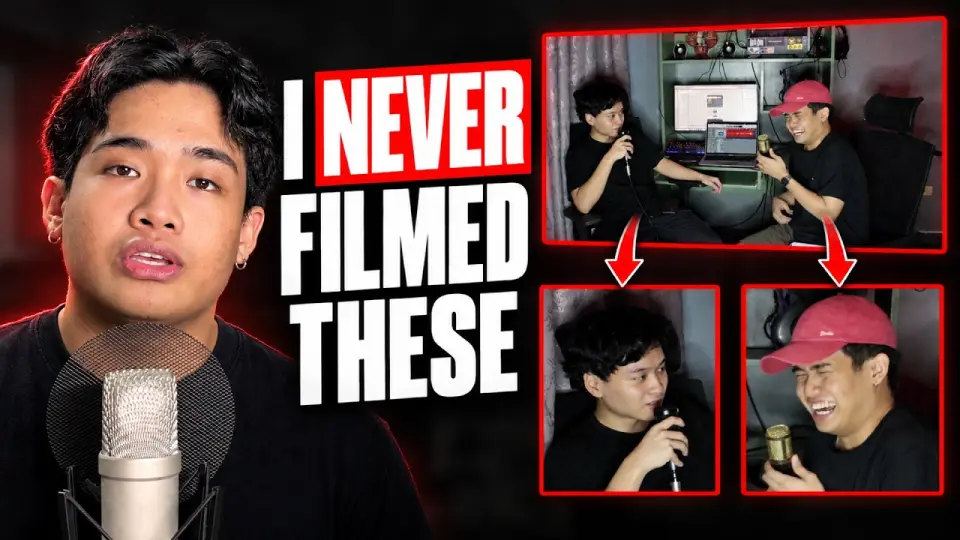
Real episode, real footageRecorded on a MacBook, start to finish
Three steps, then you are editing
No sync markers, no clapper, no plugin to install inside Final Cut Pro. CastCut is a Mac app that hands Final Cut a finished multicam timeline.
Drop the footage
Camera files and your recorder, or the whole folder. It works out which file is a close-up, which is the wide, and which is the audio.
Make the multicam edit
It lines everything up by sound, learns each voice, matches it to the face on camera and cuts. About a minute per episode.
Open it in Final Cut Pro
One click and Final Cut Pro opens with the edit. Prefer a file? Save it anywhere, named for the app it opens in.
What that looks like in CastCut


 Live angle
 Maya close
 Jordan close
 Wide
WideMeasured on a real episode: two iPhones and one recorder, on an M4 Pro MacBook Pro.
Offline. Private. Yours.
Sync, voices, faces, transcription and the clip-finding AI all run on the Apple silicon in your Mac. Nothing is uploaded, ever. Edit on a plane, in a studio with bad Wi-Fi, or on footage under NDA, and pay the same for an eight-hour episode as an eight-minute one.
- 0 bytes uploadedYour footage never touches a server. Not ours, not anyone's.
- Works with no internetAfter a one-time download, every feature runs offline.
- No per-minute feesCloud editors charge for their computers. CastCut uses yours.
- Original media untouchedYour editor links to the files you recorded. Nothing is re-encoded.
Cleanup you can see, and undo
Tick what you want gone. Every removal is listed with its reason, so you can keep any of them before you export. Nothing is rendered or thrown away.
- Long silences between answers, with a natural half second kept
- Ums and ahs, cut at the word, not the sentence
- False starts and repeated takes, keeping the version that landed
Shorts worth posting, already framed
A local AI reads the whole conversation and pulls complete thoughts with a real hook and a clean ending. Best first. Each one becomes its own vertical project in Final Cut Pro, framed on whoever is talking.
- Standalone moments that make sense without the episode
- Vertical 9:16 framing that follows the speaker, up to 4K
- Captions for every short, ready to style

The boring part of the edit, done
Three hours of work that needs no taste. CastCut does it in a minute so you can spend the time on the part that does. After each export it tells you how much time it saved.
Sync by sound
Phones, cameras and recorders line up from the speech itself. Clock drift over a long episode is corrected clip by clip.
Knows who is talking
Even from one shared mic. It tells the voices apart, then matches each voice to the right face.
Remembers your show
Name your hosts once and every new episode knows their voices. Cameras keep their roles, presets keep each client’s setup. Every week gets faster.
Wide when it should be
Crosstalk and quick back-and-forth go wide. Long answers get a wide now and then. A quick "yeah" never causes a cut.
One wide camera? Still a multicam
Each person gets their own zoom out of the wide, framed on their face, even from 720p. Three people on one camera cut like three cameras.
Every angle is a layer
Each camera and each person’s zoom sits on its own layer, on where it is used and off elsewhere. Landscape, vertical and every short. Re-cut by switching layers, not re-editing.
Captions in Filipino, and 90+ languages
Captions land inside the Final Cut timeline, even in languages Final Cut cannot caption itself. Or export captions only and paste them onto any project. Word, SRT and VTT too.
Solocasts too
Just you, filmed from two or more angles? Tick Solo and CastCut switches angles in your pauses, never mid-word.
Final Cut Pro, Premiere Pro and DaVinci Resolve.
One edit, whichever app you cut in. Every camera and every zoom arrives as its own layer, synced to your audio, with the cleanup and shorts already done. No plugin to install in any of them.
- Final Cut Pro opens the edit by itself, captions included
- Premiere Pro Beta File, Import, done. Shift+E switches angles
- DaVinci Resolve Beta Free or Studio. File, Import, Timeline
| What arrives in your editor | Final Cut Pro | Premiere ProBeta | DaVinci ResolveBeta |
|---|---|---|---|
| Cuts on whoever is talking, synced to your audio | |||
| Every camera angle, stacked and switchable | |||
| Zooms and vertical framing | |||
| Silence and filler cuts | |||
| Shorts as their own timelines | |||
| Camera sound on every angle, muted and in sync |
Everything in one price
The only one built for Final Cut Pro with shorts and transcripts included.
| Feature | CastCut | Speaker Cut | AutoPod | AutoCut |
|---|---|---|---|---|
| Works in Final Cut Pro | ✕ | ✕ | ||
| Shorts + transcript included | $247 extra | ✕ | ||
| Price | $14/mo | Free, AI $24/mo | $29/mo | $19.80/mo |
From each company's site, September 2026. Compare all 9 tools
What people say
Real users, in their own words. More going up as they come in.
castcut 80% of the work
me: 20% work
- adjust 3rd guy cam
- added text
Simple pricing
Your first 2 exports are free, with everything unlocked. No card needed to try it.
Annual
- Two months free
- Unlimited episodes
- Everything included, every update
Founding license
- Yours for good
- Every 1.x update
- Direct line to the maker
Coming next: live preview playback, a Premiere Pro panel, and sharper moment picks.
Updated every week. See what's new in the latest version · Public stats
Questions
What is CastCut?
CastCut is a Mac app that automatically edits multicam video podcasts. It syncs your cameras and audio, cuts to whoever is talking, cleans up silences and filler words, finds shorts, and opens the edit in Final Cut Pro, Premiere Pro or DaVinci Resolve.
Is CastCut an AutoPod or AutoCut alternative?
Yes. CastCut makes the automatic multicam podcast edit for Final Cut Pro, Premiere Pro and DaVinci Resolve, syncs by sound, works from one shared mic and runs offline on your Mac, from $8.25 a month on the annual plan.
Do I need a clapper or matching timecode?
No. CastCut lines the files up from the sound, and corrects the slow drift between devices over a long episode. If a file really cannot be matched, it tells you and leaves it out instead of guessing.
What if everyone shares one microphone?
That works. CastCut tells the voices apart in one mixed recording, then matches each voice to the face on camera. Separate mics per person work too.
Which version of Final Cut Pro do I need?
Final Cut Pro 10.6 or later. CastCut opens the edit in Final Cut Pro by itself; if Final Cut Pro is closed, CastCut starts it and waits until it is ready.
Does it work with Premiere Pro or DaVinci Resolve?
Yes, as a beta. The same edit goes to Premiere Pro (File, Import) and DaVinci Resolve 18 or later (File, Import, Timeline), with every camera angle and each camera's own sound. Final Cut Pro is where CastCut is tested most, so tell us if anything looks off elsewhere.
Which Macs does it run on? Is 8 GB of memory enough?
Any Apple silicon Mac (M1 or newer) with macOS 14 or later. The multicam edit runs well on 8 GB. Finding moments uses a local AI model: it works on 8 GB but is quicker with 16 GB or more.
Is my footage uploaded anywhere?
No. Everything runs on your Mac. The only thing that ever leaves is your license key, when you activate it and about once a day after that.
What do I get in Final Cut Pro?
Ordinary clips on a normal timeline, linked to your original files. Every camera is stacked on its own track with the unused ones switched off, your audio sits underneath, and captions come as subtitle files.
How long does an episode take?
On an M4 Pro, an 80-minute episode takes about a minute for the multicam edit, and a few more minutes if you also want moments for shorts.
Does it work for interviews, courses and panels?
Yes, anything with two or more people and cameras that kept rolling. Three or four speakers work well; beyond that, give the edit a closer look. Solo shows work too: film yourself from two or more angles, tick Solo next to Make multicam edit, and CastCut cuts between them at the pauses.
Can I work on several episodes?
Yes. Start a new episode anytime; each one saves itself and shows up under All episodes, so you can switch back and forth or close CastCut and continue later.
Can I cancel or get a refund?
Cancel anytime with Manage subscription in Settings (or the link in your receipt email), and the app keeps working until the period ends. If CastCut is not for you, ask within 14 days for a full refund.
Get your next episode back in a minute
Free for your first two exports. No account, no card.